Adding Custom boot logo on TCA/PRC152
If you own a TCA/PRC-152A (2023 version) and want to personalise it with your own boot logo, this guide will walk you through the process step-by-step. It’s a simple mod that adds a professional touch every time you power on your radio.
What You’ll Need
-
TCA/PRC-152A (Version 2023).
-
A Windows PC or laptop.
-
USB programming/data cable.
-
TCA programming software.
-
Your custom boot logo image (64X32px PNG format).
Step 1 – Prepare Your Boot Logo
Even though the TCA/PRC-152A’s LCD is 128 × 64 pixels, the firmware only accepts a 64 × 32 pixel logo.
To prepare the logo, open any photo editing software, such as Paint, Photoshop, or GIMP (you can also use any online editor). Create your logo at ratio of 2:1 to be resized at 64 × 32 pixels in black on a white background. Save the file as a PNG.
Step 2 – Converting PNG to HEX
Go to https://javl.github.io/image2cpp/ and upload the PNG.
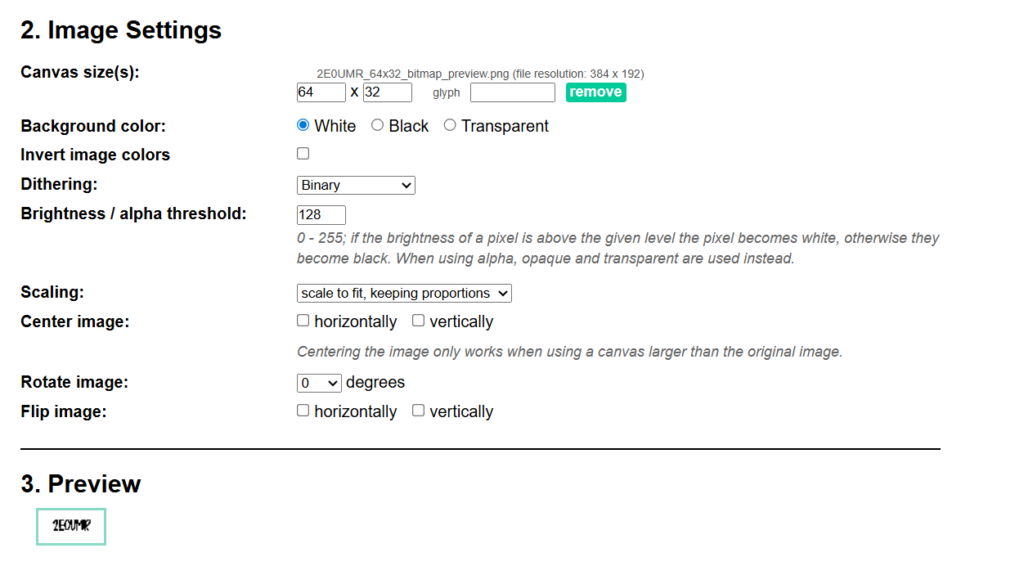
in Image Settings
- Resize canvas to 64X32.
- Background colour/ color to White.
- Scaling: Scale to fit.
- Keep rest same.
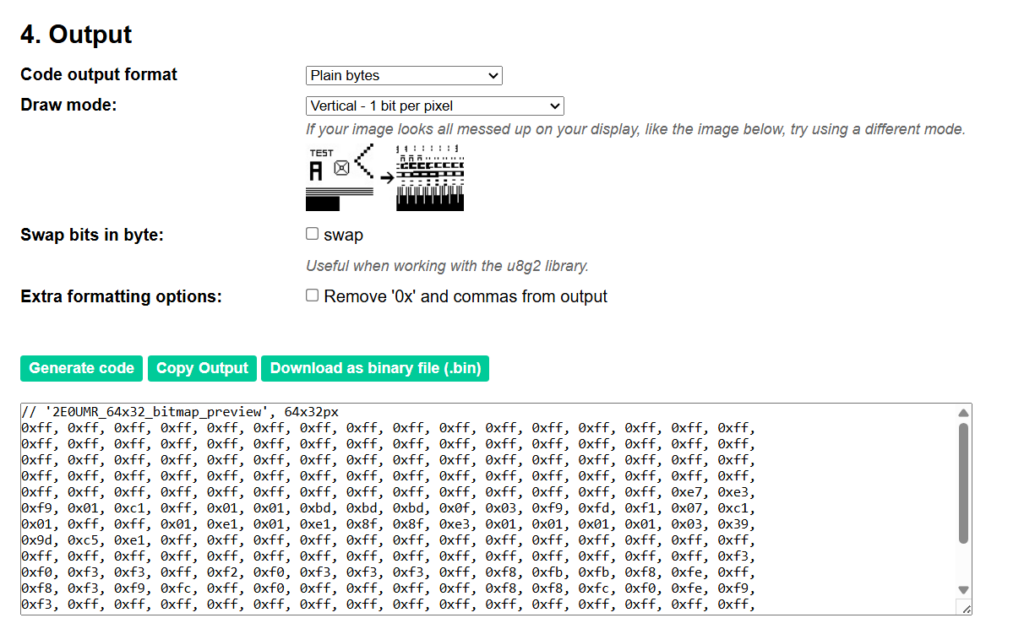
in Output
- Code output format: Plain bytes.
- Draw mode: Vertical – 1 bit per pixel.
- Leave the rest as it is.
- Click Generate code.
- Ignore the first line ( // ‘your image’, 64x32px).
- Copy the HEX code.
Step 3 – Uploading Code
- Go to Programming Software installation folder Default “C:\Program Files (x86)\TCA-152A”.
- Backup “Logo.txt” in the folder as its original HEX for Harris Logo.
- Open “Logo.txt” and replace the HEX code with your code.
NOTE: You need to remove the Spaces after the “,” and use Uppercase HEX code i.e. replace “0x00, 0x7f,” to “0x00,0x7F,” also make it 8 bytes per line.
- Save the text file.
- Attach Programming cable to radio and PC/Laptop.
- Run the programming software.
- Read the Radio.
- Go to Edit>Option Features.
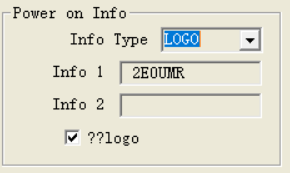
in Power on info section
- Info Type: LOGO
- Info 1 and 2 are for boot up text.
- Tick “??logo”
- Write to radio.
Congratulations you have custom logo on you TCA/PRC 152A.
73’s
Transparency Note:

I used AI tools to help refine grammar and structure in this article.
All technical testing, conclusions, and practical findings are entirely based on my own hands-on work.
